
Domain Pages (no cloaker)
Publish a page straight to your domain, with no White/Black decision and no quota.
A Domain Page is a page published directly on your domain, with no cloaker decision: there is no White or Black, every visitor sees the same page. Use it whenever you don't need to hide the offer: a normal landing page, a link-in-bio, an about or thank-you page.
The key difference from a campaign: domain pages don't consume any of your monthly quota. Only campaign traffic (the cloaker flow) counts.
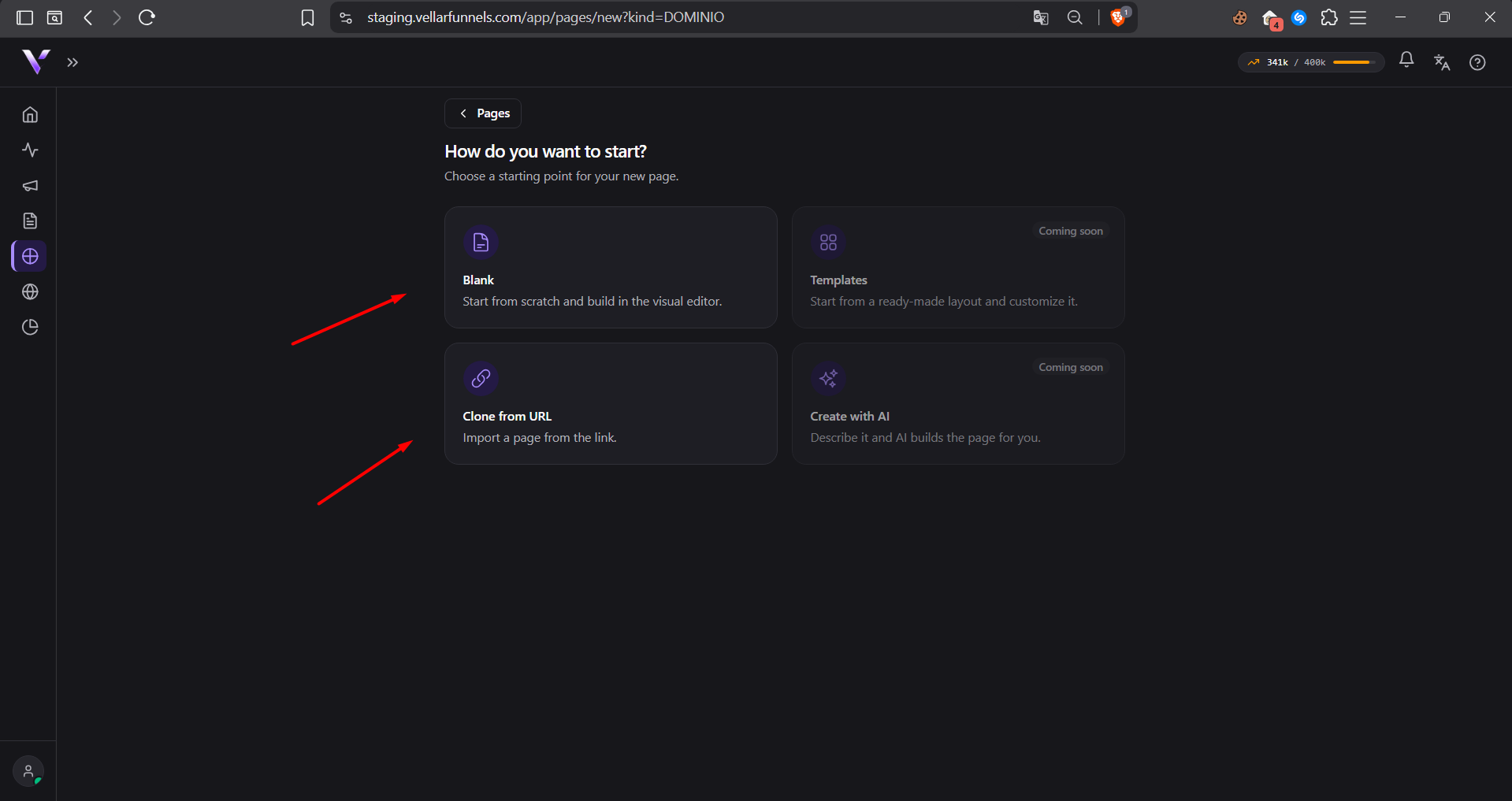
How to publish
- In Domain Pages, click + Create page (or clone one from a URL).
- Build it in the same visual editor as campaign pages. There is no White/Black selector here: a domain page is always neutral.
- Click Publish, choose the active domain and the path, and confirm.
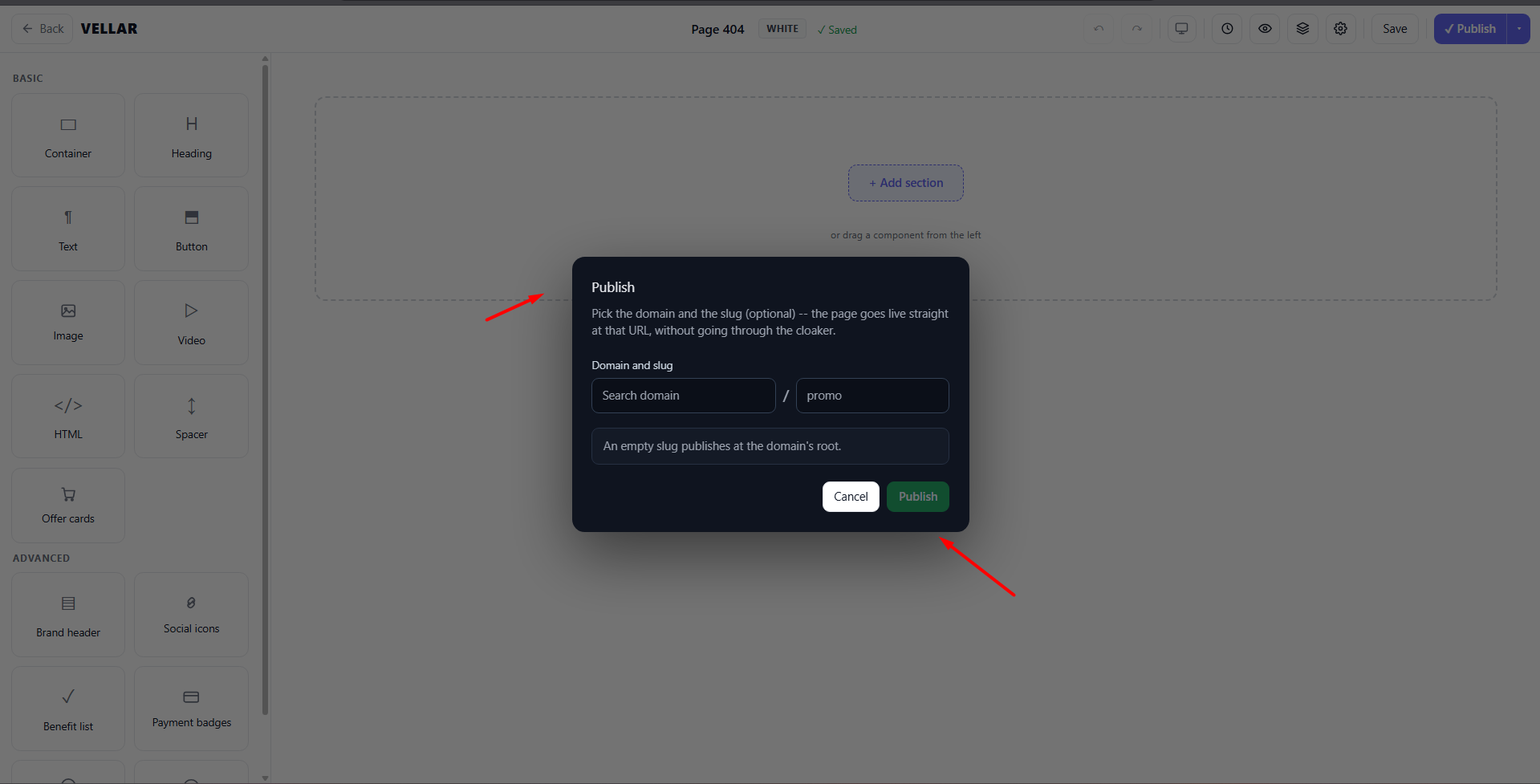
The page goes live at your-domain.com/your-path. That's the final URL, with
no hpid suffix and nothing to paste into an ad. It's just a page on your
domain.
Campaign or Domain Page?
- Campaign (cloaker): you're running paid ads and need the safe page for the review plus the real offer for buyers. Uses quota. See Launch your first campaign.
- Domain Page: you just want a page live on your domain, no cloaking. Free of quota.
Common issues
- My domain page isn't live. The domain must be Active and the page must be Published. Check the domain in Connect a domain.
- Is there an ad link or suffix for a domain page? No. A domain page is
served as-is; the final URL is just
your-domain.com/your-path. The ad link withhpidonly exists for campaigns. - Does a domain page use my quota? No. Only campaign traffic counts against the monthly quota. See Monthly usage.
Protect your campaigns with Vellar
Build the page and choose how to publish it: protected for paid traffic, or open for anything else.
See how it works