
How monthly usage is counted
Each visit counts as one request; where to track it and when it resets.
Each visit received by your campaigns counts as one request. It's this total that makes up your workspace's monthly usage.
Where to track
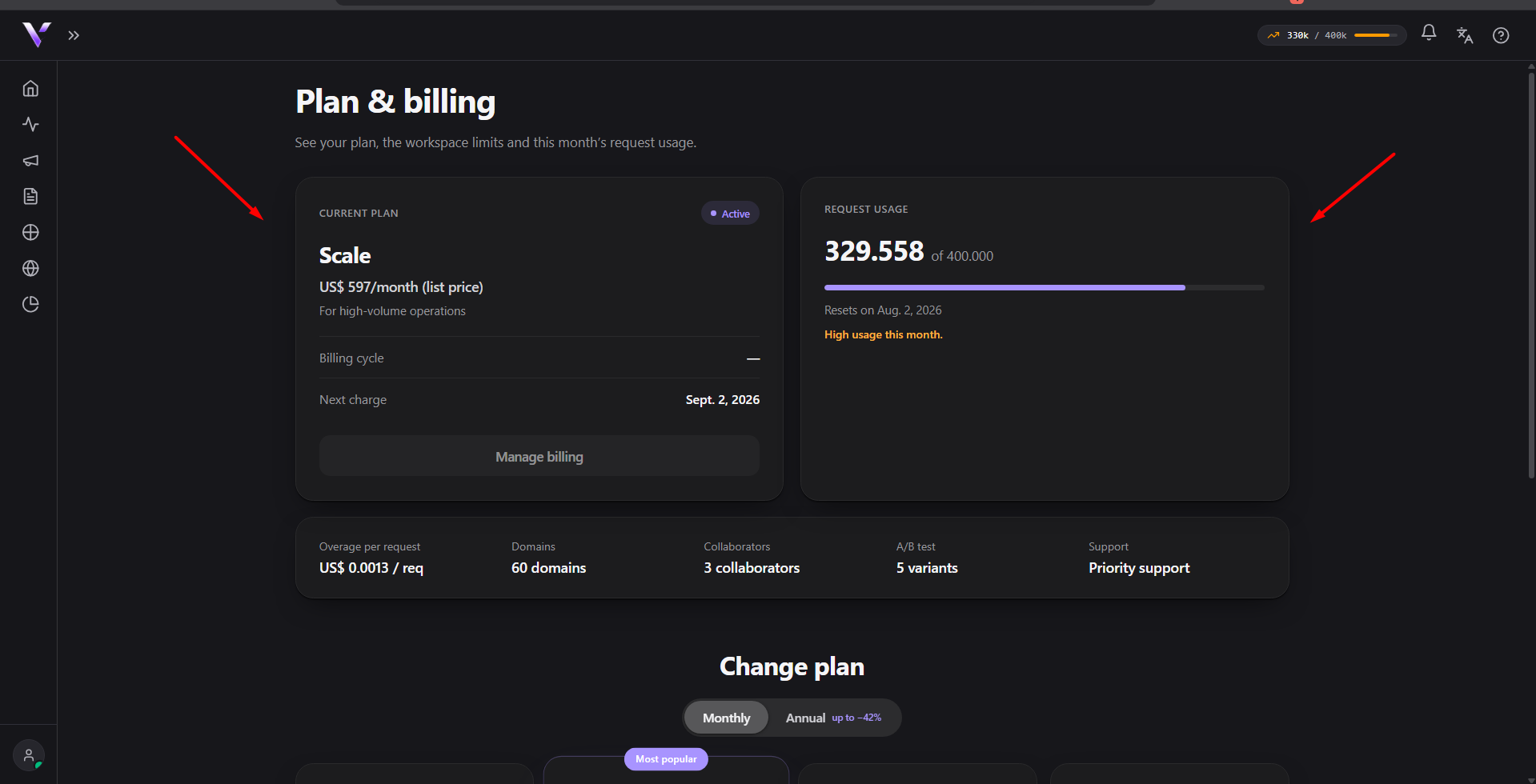
The month's total appears in the usage pill at the top of the panel and, in more detail, in Plans, in the Request usage block: how much has been used, the progress bar, and the month's percentage.
When it resets
The counter resets on the 1st of each month, at the start of a new period. That is: usage is always relative to the current month.
What counts
Every visit that reaches your campaigns counts: valid, blocked or neutral. Domain pages don't count: a page published straight to your domain (without the cloaker) is served free of quota. See Domain Pages. As you approach the plan limit, the panel shows a warning: Close to the plan limit. (usage above 90%) or High usage this month. (above 70%). See Limits and overage for what happens when you go over.
Common issues
- Usage doesn't match what I see in Analytics. The request counter counts every visit that reaches the campaign (valid, blocked or neutral); Analytics splits that total into categories; see Reading the metrics.
- I just generated traffic and the number didn't change right away. The used total can take up to a minute to update; refresh the page again.
- "Close to the plan limit." or "High usage this month." showed up. These are warnings that this month's usage passed 90% or 70% of your plan's allowance; see Limits and overage.
Protect your campaigns with Vellar
Build the page and choose how to publish it: protected for paid traffic, or open for anything else.
See how it works