
Clone from a URL
Import a page from a link and what to do afterwards.
Cloning from a URL brings the content of a public page into the editor, for you to use as a starting point.
How to clone
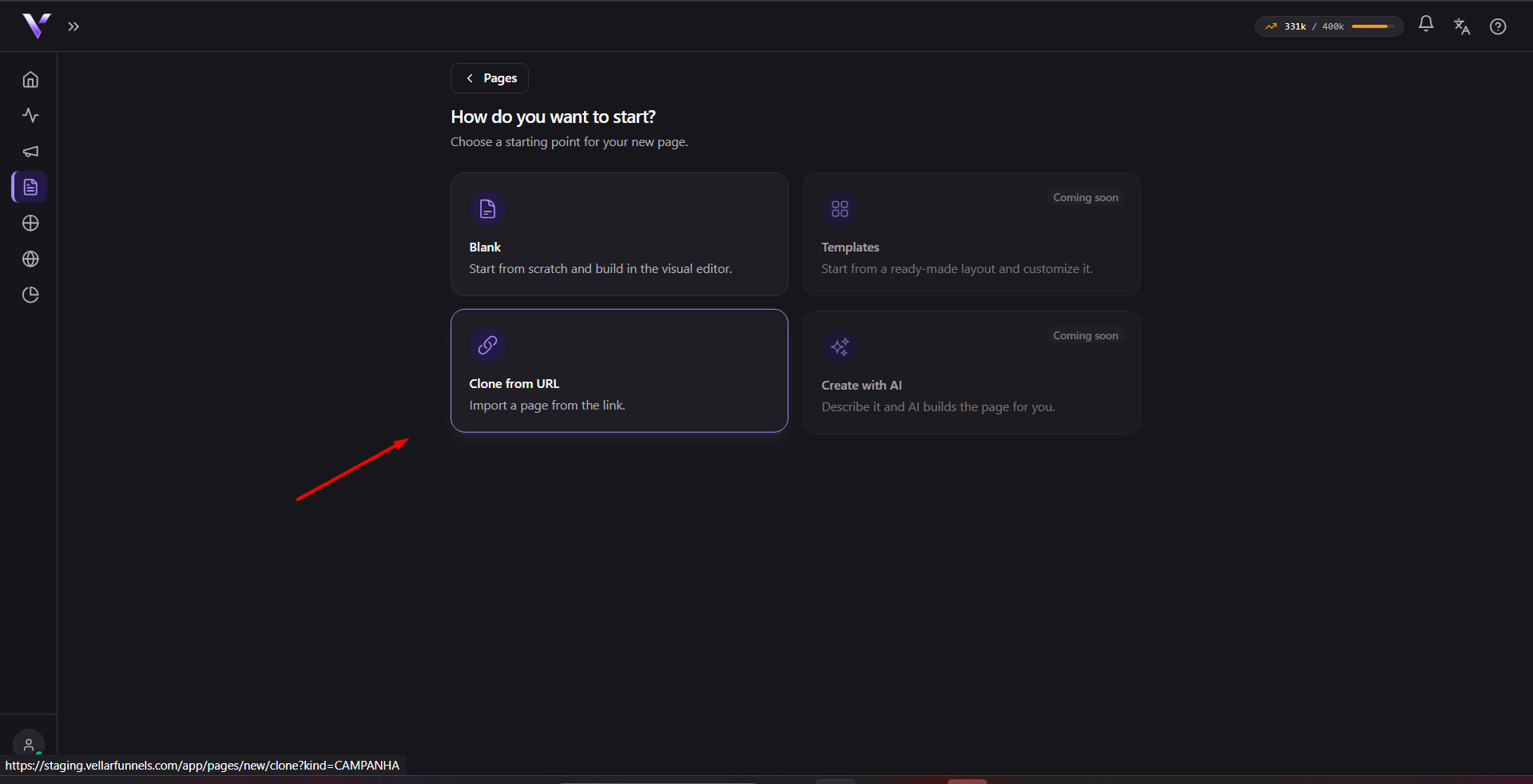
- In Pages, click Create page and choose Clone from a URL:
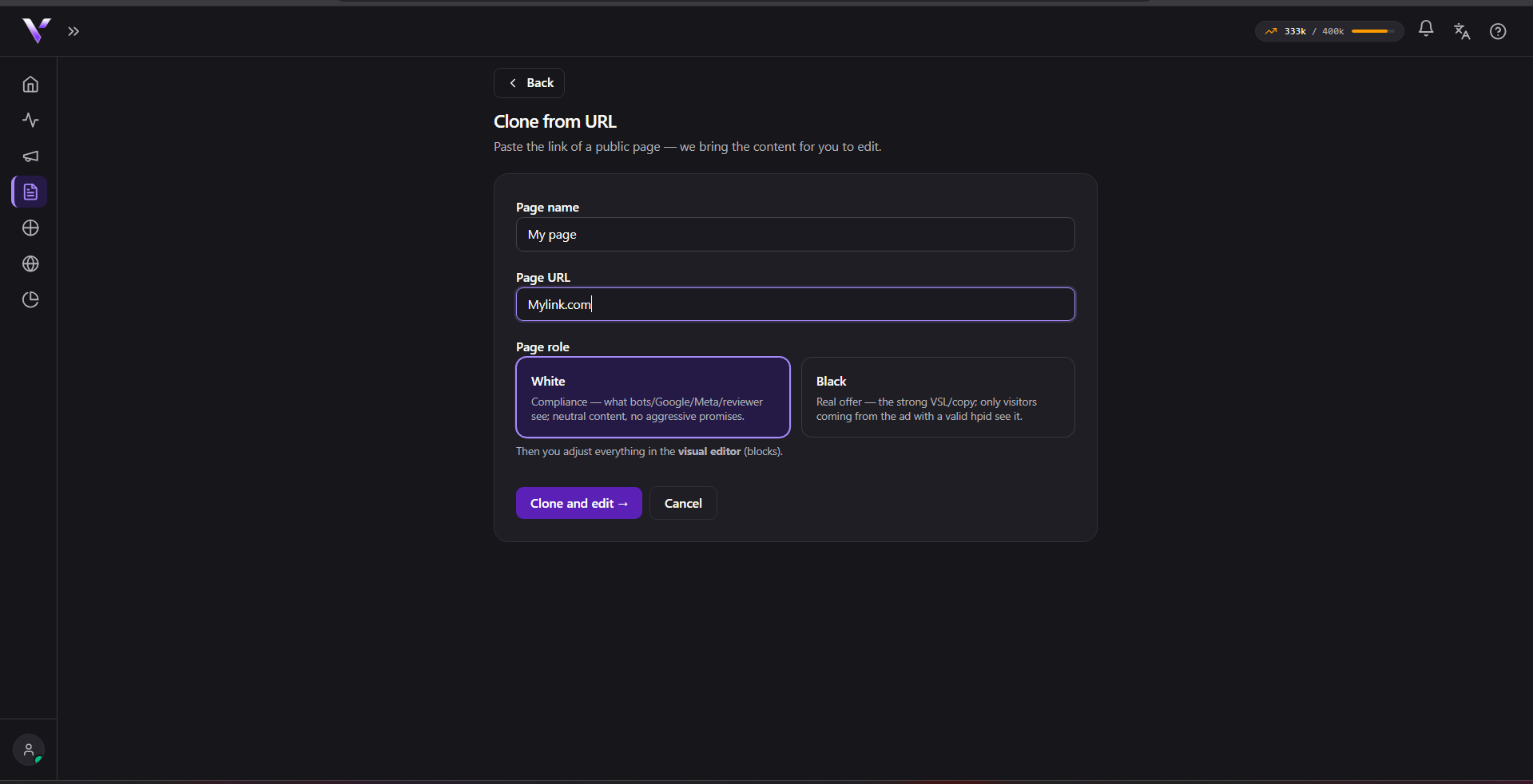
- Provide the name (optional; leave blank to use the site's title) and the role of the page (White or Black; not shown for a Domain page).
- Paste the page URL you want to import. You can paste it without
https://(e.g.example.com/page); Vellar fills it in for you. - Click Clone and edit.
What is copied
Vellar brings the page's visible content (texts, images and the layout) into the editor. From there the copy is yours to edit freely.
SPA/JS page notice
Some pages are built dynamically by the browser (SPA sites / heavily JavaScript-dependent). In those cases, the editor shows a non-blocking notice: the source came back nearly empty because the page renders its content via JavaScript, so you may need to edit what came through or paste the HTML manually. The clone still goes through either way; review the page and fix whatever is missing.
Swapping images afterwards
After cloning, swap the images for your own inside the editor (see Using the editor). Images copied from another source may break or may not be yours to use. Review texts and links before publishing.
Common issues
- Too many clone attempts in a row. Abuse protection: cloning is rate-limited per period. The error message ("Muitas tentativas de clonagem. Tente novamente em alguns minutos.") currently shows in Portuguese regardless of your interface language; it isn't translated yet. Wait a few minutes and try again.
- "Plan page limit reached." You've already hit your plan's page cap. Delete a page you no longer use (it goes to the Trash, so you can recover it) or upgrade in Plans.
- The clone is blocked with a message about an internal/reserved network address. For security, you can't clone internal/private network addresses, only public pages on the internet. That message ("O host resolve para um endereço de rede interna/reservado.") currently shows in Portuguese regardless of your interface language.
- The clone fails with a network-failure or timeout message. The source site didn't respond or took too long. Those messages ("Falha de rede ao buscar a URL." / "Tempo esgotado ao buscar a URL.") currently show in Portuguese regardless of your interface language. Check that the URL is correct and the site is up, then try again.
Protect your campaigns with Vellar
Build the page and choose how to publish it: protected for paid traffic, or open for anything else.
See how it works