
Connect a domain
How to add a domain in the panel and start the connection.
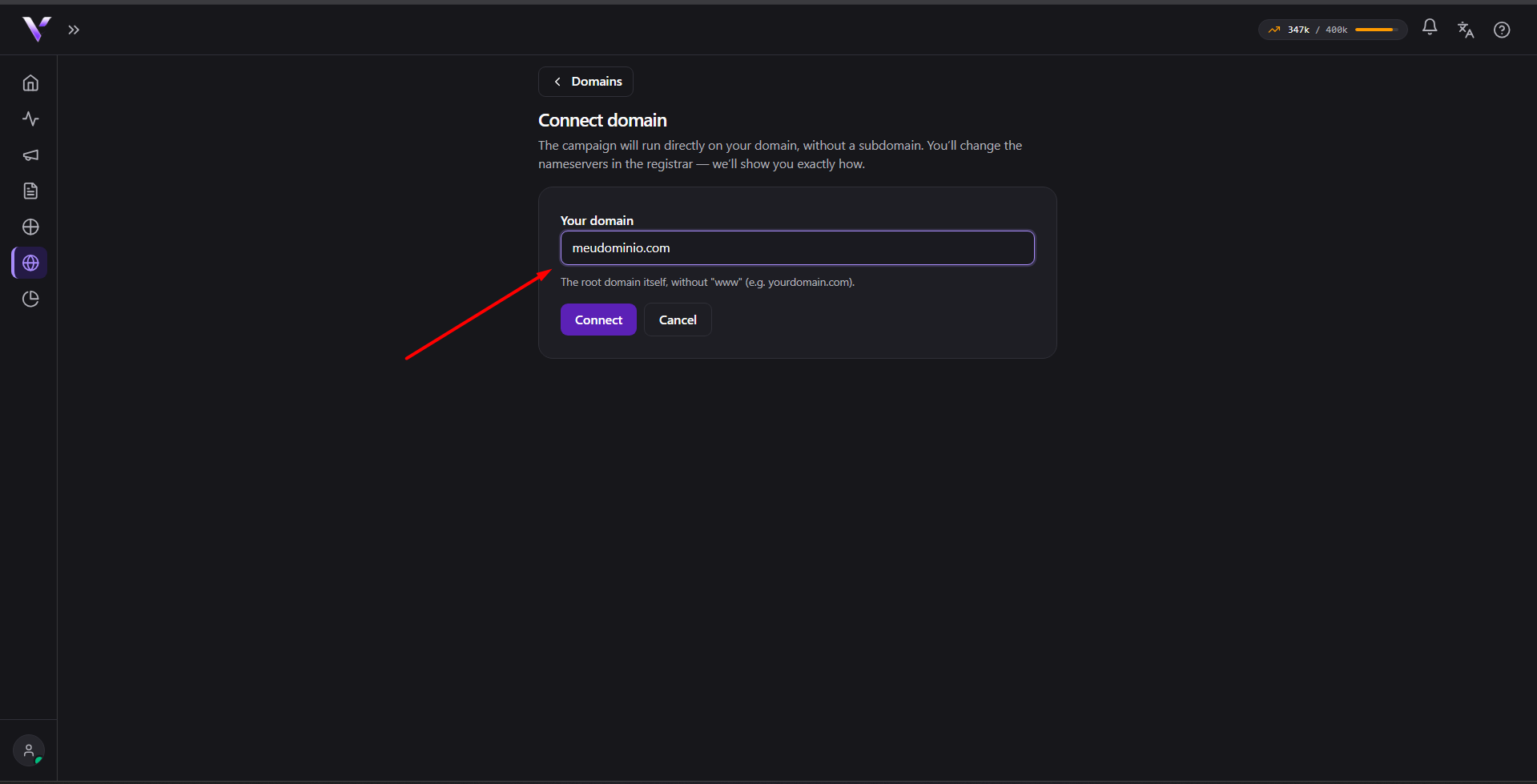
Your campaigns run directly on your domain, without a subdomain. To connect:
- Go to Domains and click Connect domain.
- Enter Your domain: the root domain, without "www" (e.g.
yourdomain.com). - Click Connect.
After connecting
Before showing the nameservers, the Review records screen imports the DNS records that already exist on the domain today and warns: check that your email (MX) and important subdomains are on the list before changing the nameservers, because a missing record stops working after the change. Click Continue → nameservers to proceed.
On the next screen the panel shows the nameservers you must set at your registrar. See Point DNS / nameservers. After switching them, validation and SSL issuance continue on their own in the background. See Activation and SSL.
You can connect several domains; the maximum number depends on your plan. See Limits and overage.
Common issues
- "This domain is already registered." The domain was already connected (by you or by another account). Check that you didn't mistype it.
- "Connect the ROOT domain (e.g. client.com). Subdomains are no longer
needed: with the nameserver change the campaign runs directly on the
apex." The form only accepts the root domain. Enter just
yourdomain.com, without "www" or any other prefix. - "Plan domain limit reached." Your plan has a cap on connected domains. Remove a domain you no longer use or upgrade your plan. See Limits and overage.
- "We couldn't create the zone right now. Try again in a moment." Temporary failure while provisioning. Wait a bit and click Connect again.
Protect your campaigns with Vellar
Build the page and choose how to publish it: protected for paid traffic, or open for anything else.
See how it works