
Reading the metrics
What each KPI means and how to use the filters.
Analytics summarizes the traffic your campaigns received, with filters and breakdowns by dimension. Each campaign also has its own Metrics tab, with the same numbers focused on that campaign alone.
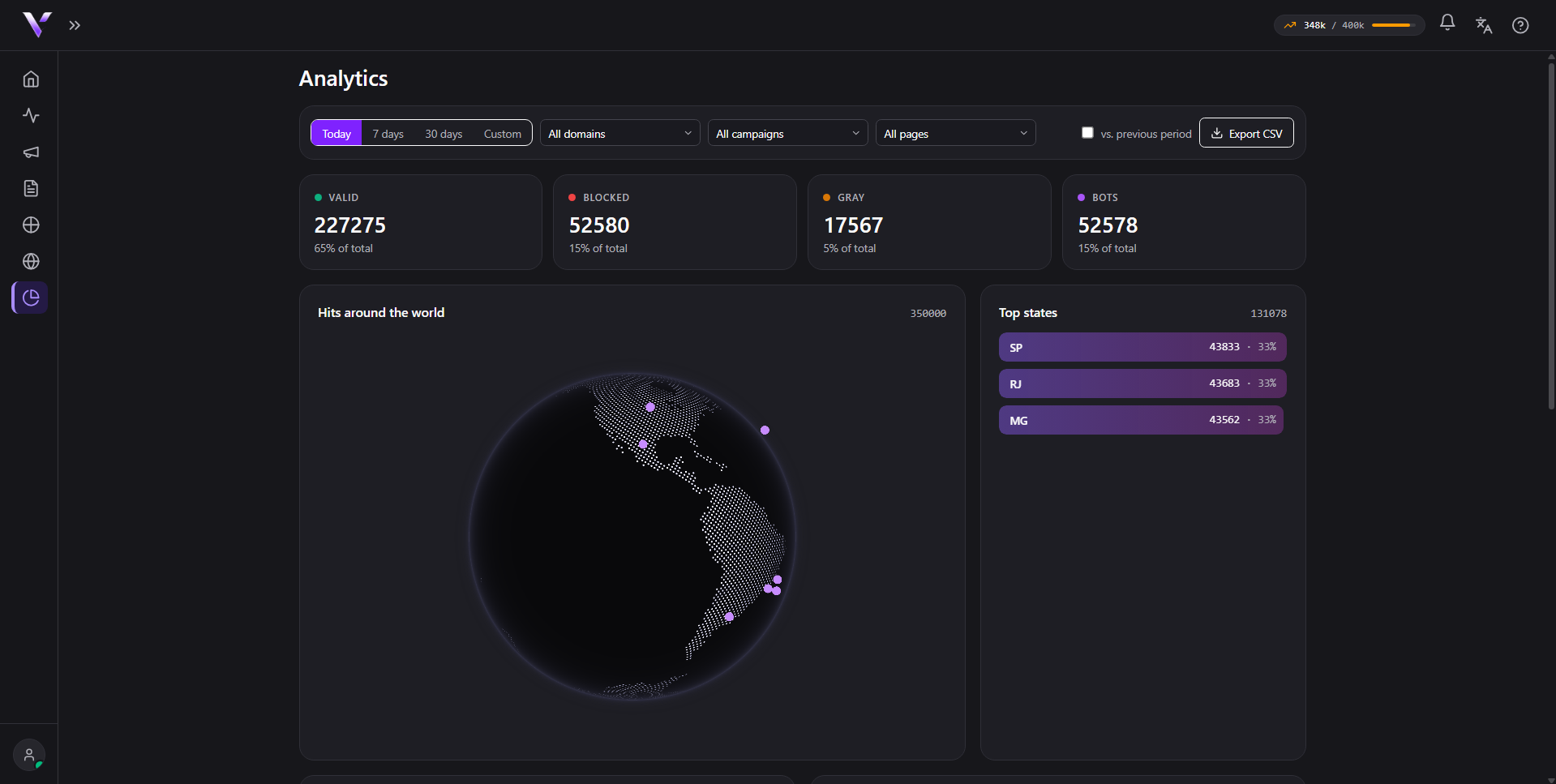
The class cards
At the top, 4 cards summarize the period by the same criteria that decides each visit at the edge:
- Valid: reached the offer.
- Blocked: stopped by the campaign rules (see Block reasons).
- Gray: received the safe page as a precaution.
- Bots: automated traffic identified.
Each card shows the total, the % of total for the period and, with the comparison on, the delta against the previous period. On a campaign's own Metrics tab, the same four numbers appear as Total Requests, Valid Visits, Blocked and Neutral (the same category shown as "Gray" here, under a different label on that screen), next to Bots Detected.
Filters and period
The Today, 7 days, 30 days and Custom buttons (with a start and end date) set the window for the numbers. Turn on vs. previous period to compare against the immediately preceding window of the same length. The All domains, All campaigns and All pages fields narrow the report down to a specific domain, campaign or page.
Clickable breakdowns
The Top states, By device and By campaign blocks work as filters: clicking a row narrows the rest of the report by that value, and a chip appears at the top. Click the chip to remove the filter (or use clear all when more than one is active). The globe under Hits around the world mirrors the active filters; Weekly pattern shows the distribution by day of week and hour.
Common issues
- A breakdown block shows up empty. "No data in the period." appears when there's no traffic for that dimension in the current window/filters. Widen the period or remove an active filter (the chips at the top).
- The globe doesn't render in my browser. Some browsers/devices don't support what's used to draw the globe; when that happens the panel shows "The globe couldn't be drawn in this browser. The region breakdown is available in the "Top states" list beside it." Use that list, it has the same data.
- A campaign's Metrics tab shows "No data for the selected period." The campaign didn't receive any visits in the chosen window; change the period in the selector at the top of the page.
Protect your campaigns with Vellar
Build the page and choose how to publish it: protected for paid traffic, or open for anything else.
See how it works