
Subscribe and manage your plan
How to subscribe, switch plans, and update your payment method.
Everything about your subscription lives under Plans, in the Plan & billing block. There you see your Current plan, the Billing cycle (monthly or annual), and the Next charge.
Subscribe or switch plans
On the Plans page, compare the available plans and pick the Monthly or Annual cycle. Depending on your current plan, the button shows the action to take: Upgrade or Downgrade.
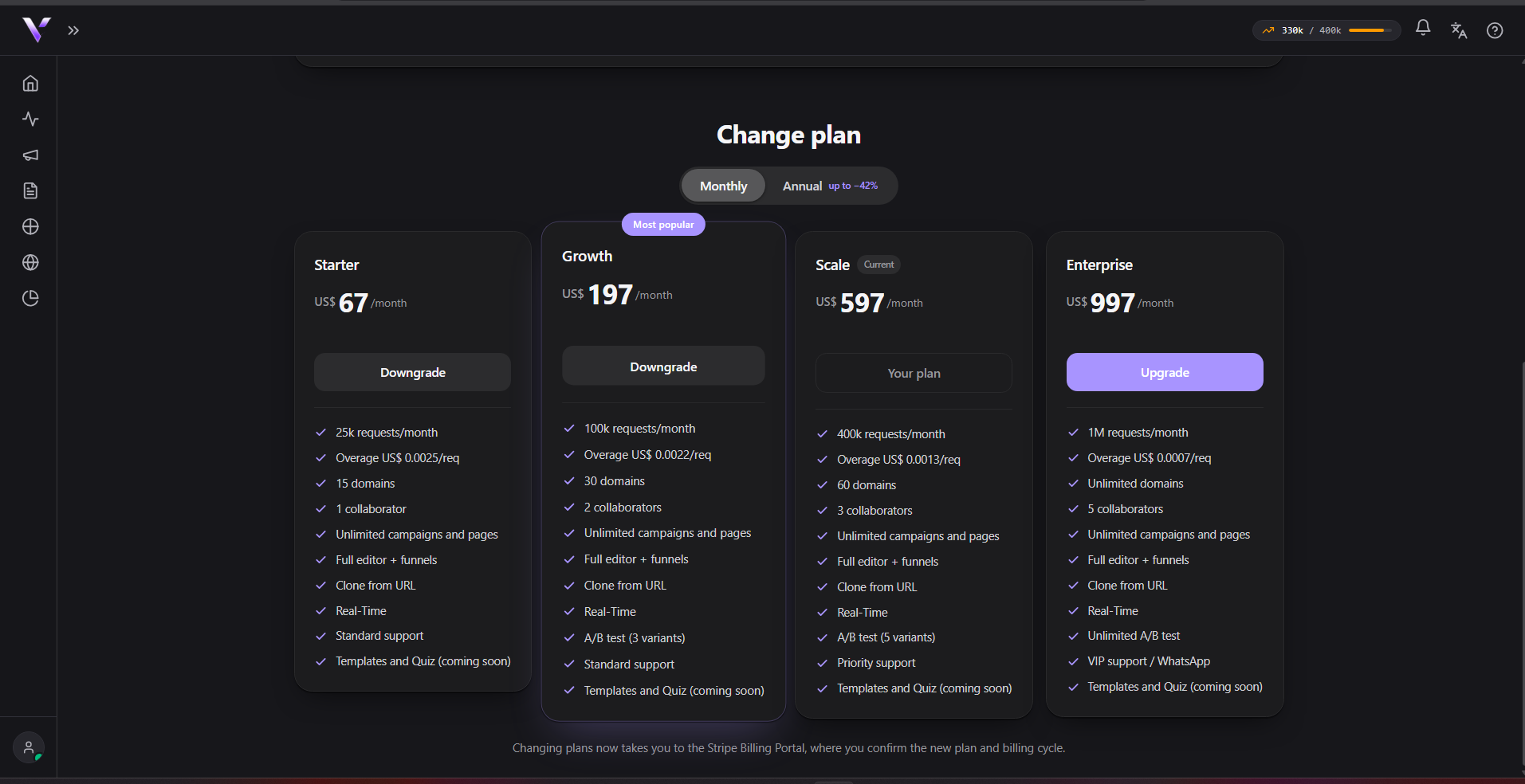
When you switch plans, you're taken to the secure billing environment to finish. Switching between paid plans uses automatic proration: you only pay (or get credited) the difference for the time left in the period.
Manage billing
To update your card, view invoices, or cancel, use Manage billing in the Plan & billing block. This opens the billing portal, where your payment details and history live.
Who can subscribe
Only a workspace administrator can subscribe or switch plans. Collaborators without that role can see the plans, but the action stays with the administrator.
Internal plans
If yours is an internal plan (courtesy or partnership), it doesn't go through automatic billing; any change is handled by support.
For what happens when a payment doesn't go through, see Payment overdue.
Common issues
- "Only team admins can subscribe or change plans." If a collaborator without that role tries, checkout stops with this message; ask a workspace administrator to do it instead.
- "Couldn't start the subscription right now. Try again shortly or contact support." A temporary failure opening checkout. Try again in a moment; if it keeps happening, contact support.
- "Payment canceled. No charge was made." You left checkout without finishing, so nothing was charged. You can try again whenever you want.
- The "Manage billing" button is disabled. This happens before your first subscription (there's no billing to manage yet) or for anyone who isn't a workspace administrator.
Protect your campaigns with Vellar
Build the page and choose how to publish it: protected for paid traffic, or open for anything else.
See how it works