
Help center / Account & Security
Profile and language
Edit your data and switch the panel's language and theme.
Your data and preferences live under Settings, split into the Profile, Members, Preferences and Notifications tabs. Your profile is on the Profile tab; the theme and language are on the Preferences tab.
Open it from your avatar menu, at the bottom of the side menu, the same menu that shows your current plan, the theme switch and Sign out.
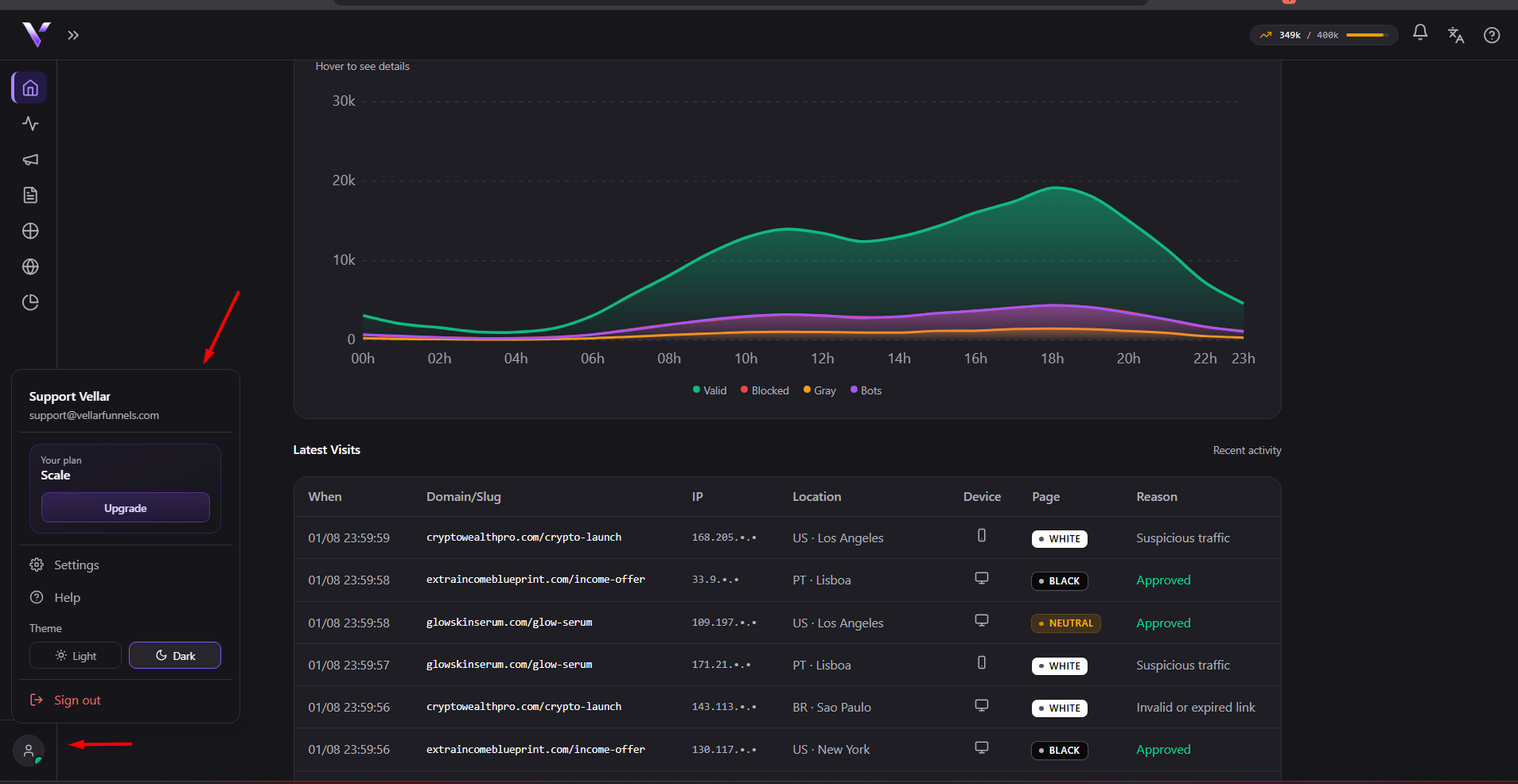
Edit your profile
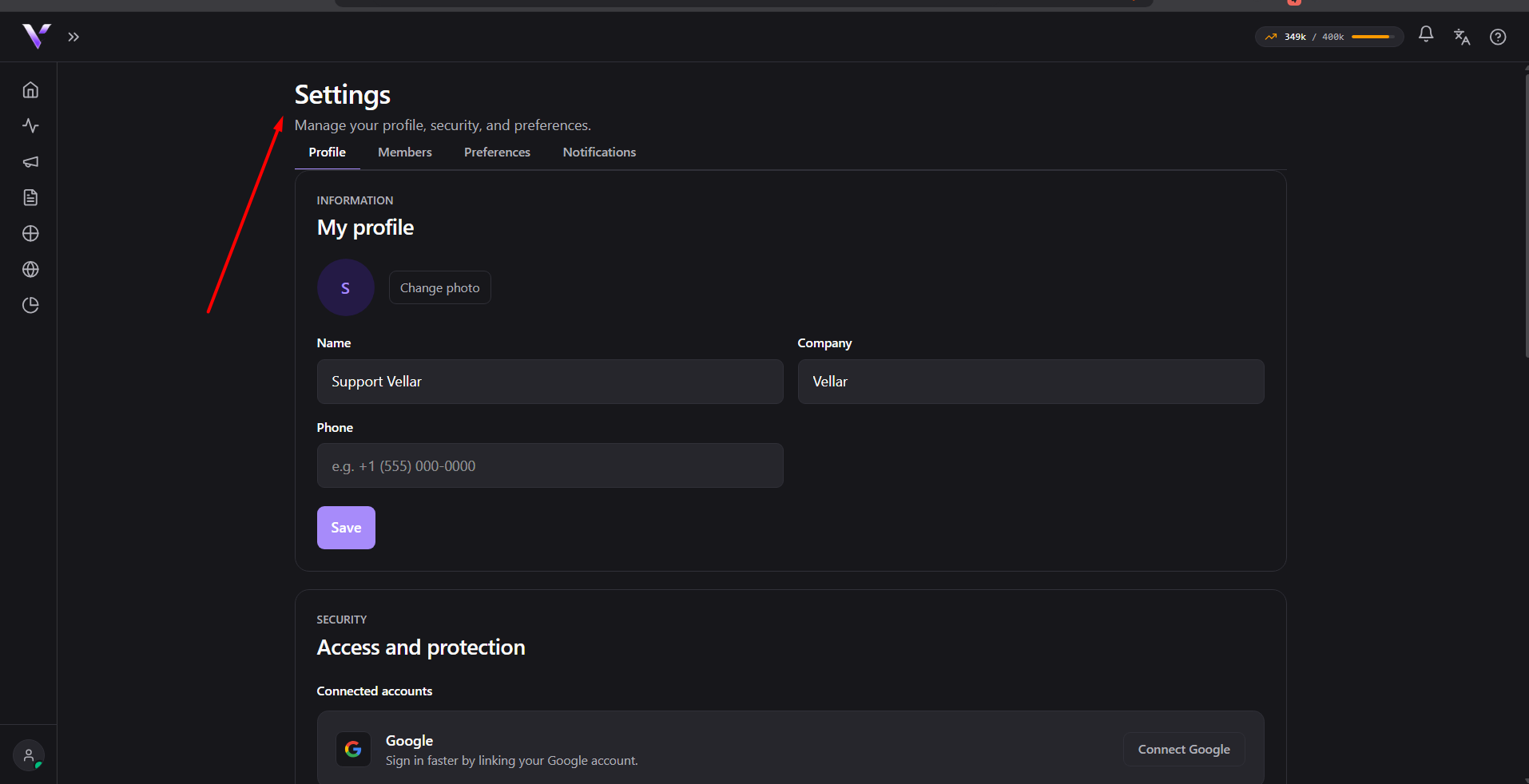
On the Profile tab you can:
- Change photo: upload a new image for your avatar;
- edit Name, Company and Phone.
Click Save to confirm. On success, the panel shows "Saved.".
Theme and language
On the Preferences tab, the Theme section lets you choose between System, Light and Dark. The caption "Applied on all your devices." means the choice applies across all of your devices.
Right below, the Language section switches the panel's language between Automatic ("Automatic follows your browser language."), Português, English and Español. Português, English and Español are the names of the languages themselves (they are not translated in the interface).
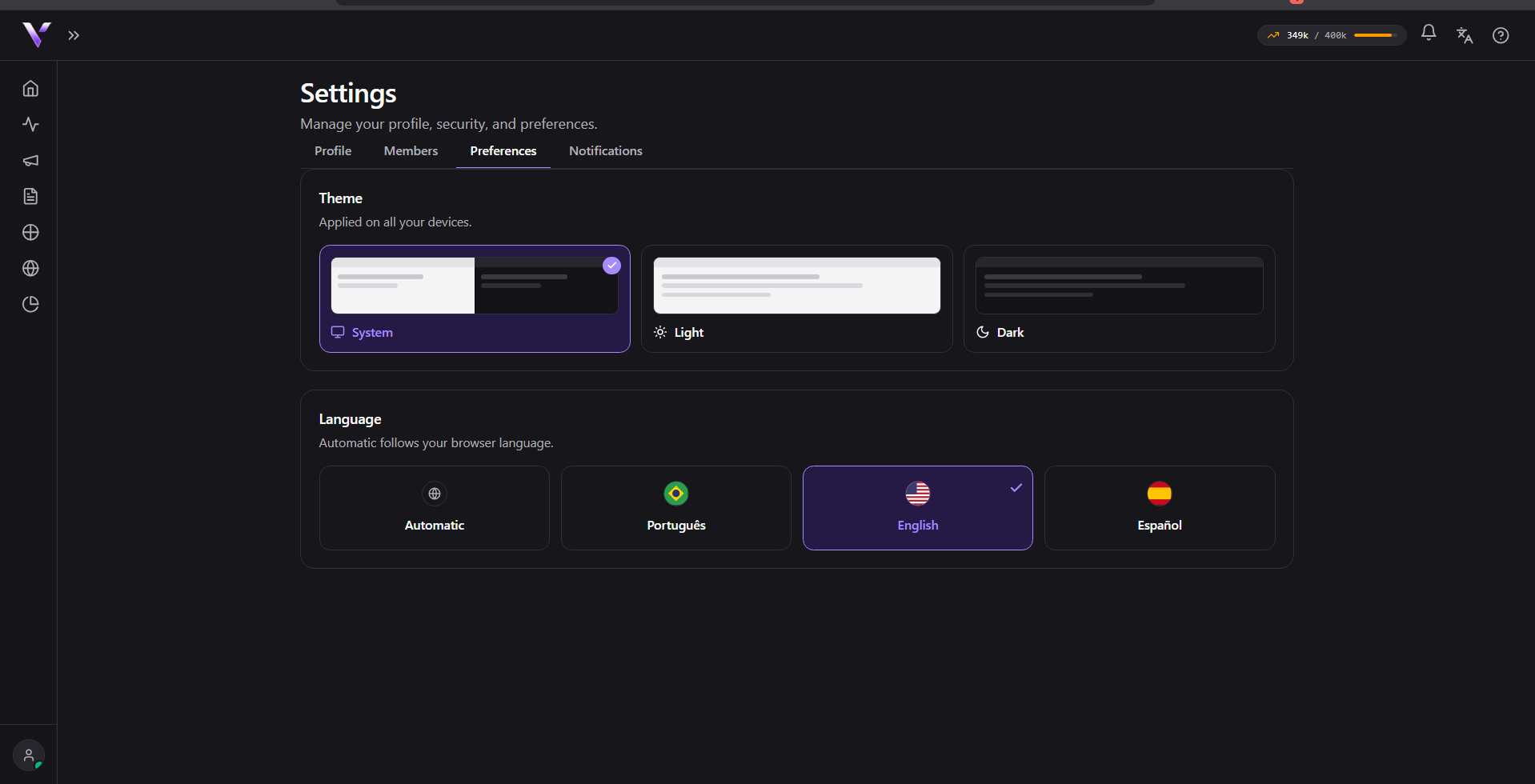
Switching the language reloads the page to apply the change across the whole panel. This does not change the content of your pages or campaigns, only the panel's interface.
Common issues
- The page reloads by itself after switching language. That's expected: switching the language re-applies the translation across the whole panel, which requires a reload. The theme (light/dark), on the other hand, changes without reloading.
- Changing the phone number fails and doesn't save. The field requires a valid number (with an optional country code). Check the format and try again; the panel keeps what you typed in the other fields, so you don't lose the rest of the form.
- The photo doesn't change after uploading. Check that the file is an image; unsupported formats or sizes are rejected with an error message instead of the "Saved." notice.
Protect your campaigns with Vellar
Build the page and choose how to publish it: protected for paid traffic, or open for anything else.
See how it works