
Help center / Account & Security
Change email and password
The password change flow and the email confirmation.
Password and email live under Settings, on the Profile tab, in the Security section.
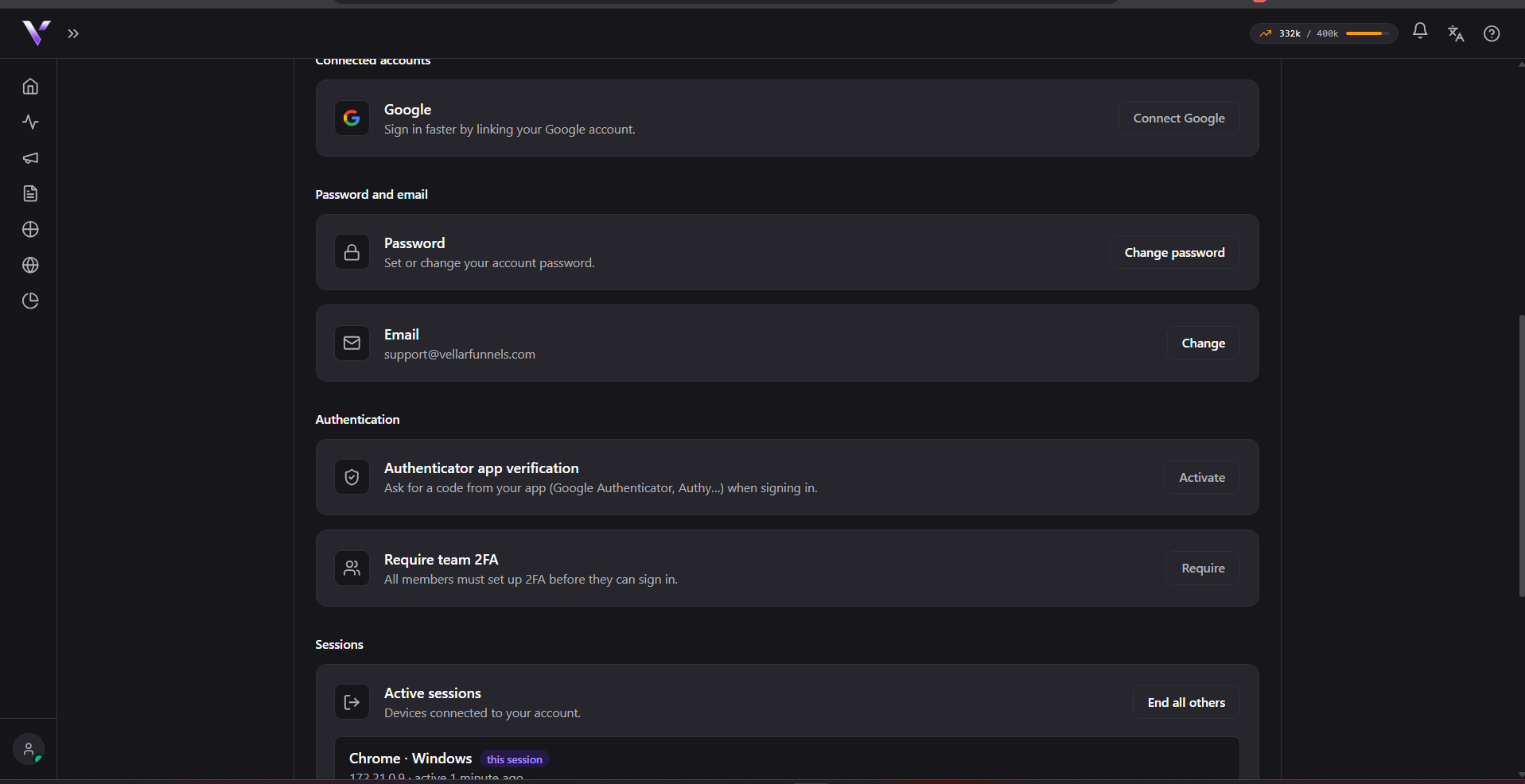
Change password
In the Password block, fill in Current password, New password and Confirm the new password, then click Change password. On confirming, the panel shows "Password changed." and you stay signed in on this session.
If you don't remember your current password, use I forgot my password, in the same block, to receive a reset link by email.
Change email
In the Email block, the current address is shown at the top. Type the New e-mail and click Change e-mail: Vellar sends a confirmation link and the panel shows "We sent a confirmation link to" the address you entered.
The change only takes effect after you open that link; this way we make sure the email is yours. While the confirmation is pending:
- the email shows as "pending" in the Email block;
- you can Resend link or Cancel the change at any time.
On cancelling, the panel confirms with "E-mail change cancelled.".
Common issues
- "Current password is incorrect." The password you typed in Current password doesn't match your current one. Double-check it or use I forgot my password.
- The new password confirmation doesn't match. The panel flags a mismatch when New password and Confirm the new password are different; type the same password in both fields. This specific message appears in Portuguese ("A confirmação não confere.") regardless of your interface language, since it isn't translated in the current build; the meaning is "the confirmation doesn't match."
- "There is no pending email change." Shows up if you try Resend link or Cancel without an email change in progress.
- "Wait a minute before resending." Resending the confirmation link has a minimum interval between requests; wait a minute and try again.
- The new email is already in use. Each email can only belong to one account; use a different address. This message currently appears in Portuguese ("E-mail já em uso.") regardless of your interface language.
Protect your campaigns with Vellar
Build the page and choose how to publish it: protected for paid traffic, or open for anything else.
See how it works