
Point DNS / nameservers
What to copy from the panel and where to paste it at your registrar.
After connecting the domain (see Connect a domain), the panel shows two nameservers. You switch the domain's current nameservers for these at your registrar (where you bought the domain).
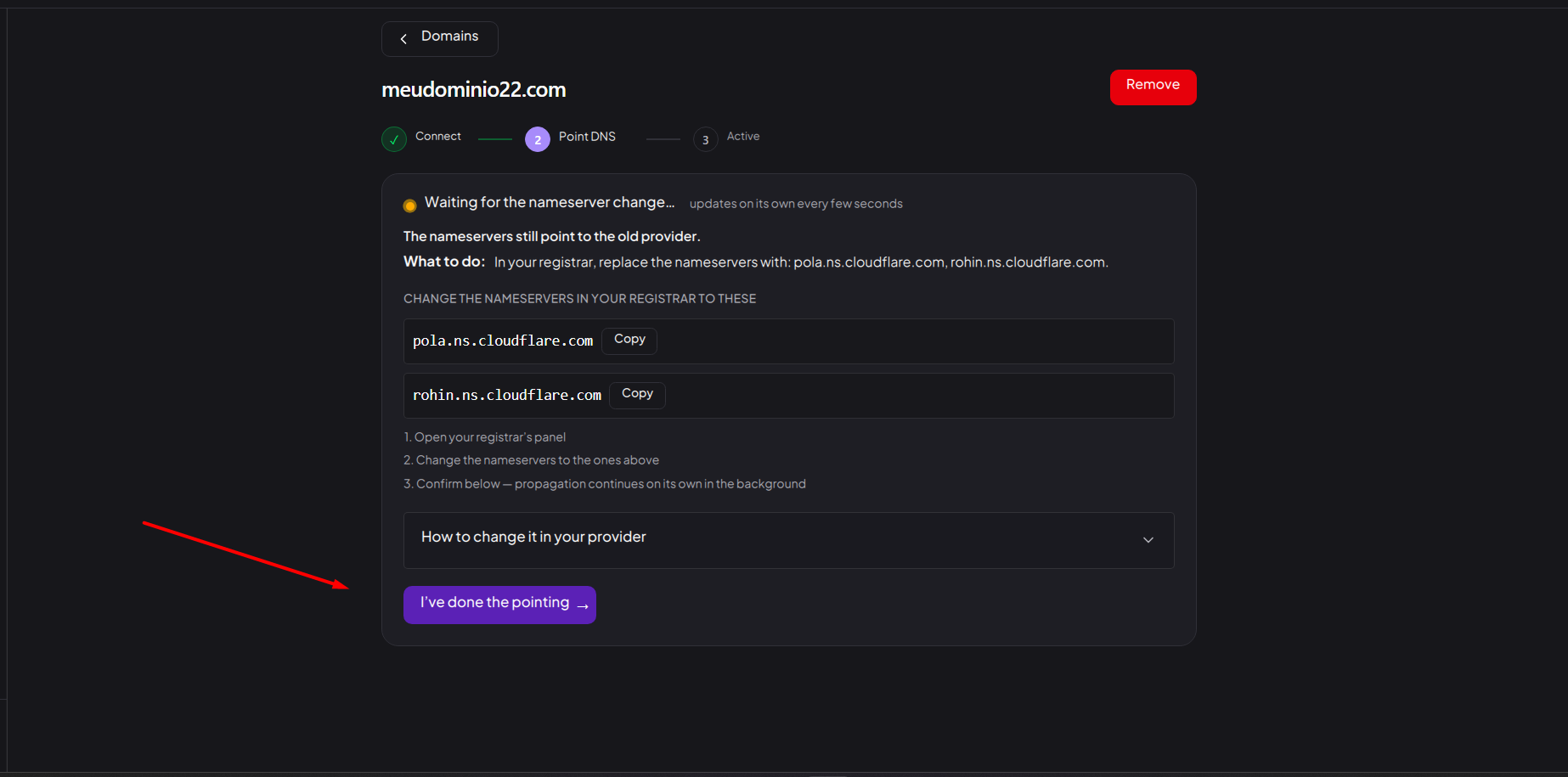
Step by step
- In the panel, copy the indicated nameservers; there's a Copy button next to each one.
- Open the How to change it in your provider card: a collapsible guide with the step by step and a direct link for the most common registrars.
- In your registrar's panel, find the nameservers setting (sometimes called "DNS servers" or "custom DNS") and replace the ones there with Vellar's.
- Save at the registrar and, in the panel, click I’ve done the pointing →.
After confirming
Propagation continues on its own in the background. It can take from a few minutes to a few hours, depending on the registrar. See Activation and SSL. You don't need to stay on the page.
Common issues
- "We haven't detected the nameserver change yet, so we can't confirm for now. If you just changed it, wait a few minutes and try again." Shows up if you click I’ve done the pointing → before the change propagates. Wait a few minutes and click again.
- "Only part of the nameservers were changed." Switch all of the domain's nameservers to Vellar's; leaving one old one in the middle keeps validation from completing.
- "The nameservers still point to the old provider." The change hasn't been saved at the registrar yet (or hasn't propagated yet). Check that the change was saved there.
Protect your campaigns with Vellar
Build the page and choose how to publish it: protected for paid traffic, or open for anything else.
See how it works