
Funnel and targeting
What the targeting rules are and where to configure them.
Targeting is the set of campaign rules that decides which audience can reach your offer. It's the entry funnel: whoever is within the rules moves on to the Black; whoever is outside gets the White.
Where to configure
The rules live in the Rules block of the campaign form (when creating or editing):
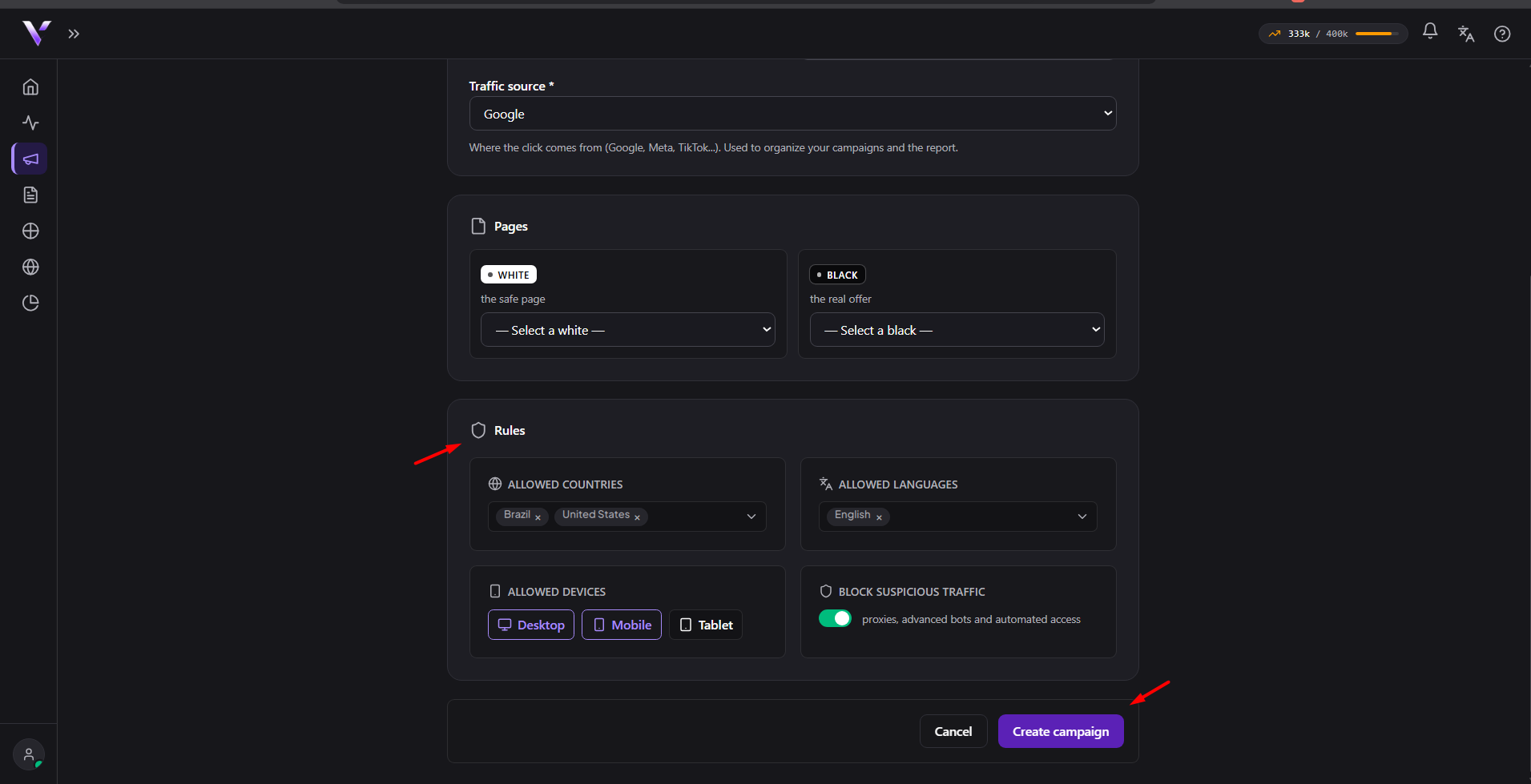
- Allowed countries: the visitor's geographic origin.
- Allowed languages: the browser language.
- Allowed devices: mobile and/or desktop.
- Block suspicious traffic: filters automated and untrusted-origin visits.
When editing a campaign there are also Advanced filters (optional): BR business hours, allowed/blocked referers and blocked network providers. These fields don't exist on the creation screen, only on editing.
How to adjust
Start restrictive (only the countries, languages and devices of your ad) and adjust based on the report. In Analytics, the Block reasons panel shows why visits were stopped. If a lot of legitimate people are being filtered by a rule, that's where you notice it and loosen the right rule.
You don't configure the internal detection logic; you only define the target audience, and Vellar applies the rules to each visit.
Common issues
- I changed the rules but nothing seems different. Make sure you clicked Create campaign or Save changes; an adjusted rule that wasn't saved has no effect at all.
- A lot of legitimate people are landing on the White. See Block reasons to find which specific rule is stopping them, and loosen only that one instead of turning everything off.
- I can't find the Advanced filters (hours, referers). They only appear on the campaign's editing screen, inside the collapsible Advanced filters block; they don't exist on creation.
Protect your campaigns with Vellar
Build the page and choose how to publish it: protected for paid traffic, or open for anything else.
See how it works